 Avo
Avo
Create an invoice online and download the PDF, free
Type your business, the client and the job lines. The invoice updates as you type; click Download PDF and send it. Make an invoice for one job or your tenth client this week, with nothing uploaded and no account to open.

Avo for iPhone: your first three documents are free, saved clients, your logo and a pay link on every PDF.
Or scroll down and create the PDF right here in Safari.
Create the invoice in the browser ↓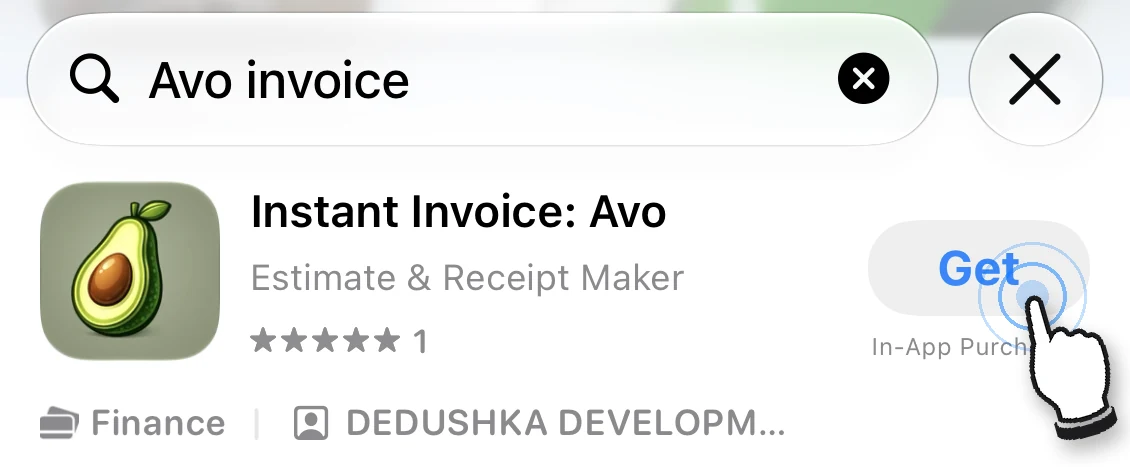
 Scan to get Avo Invoice on iPhone
Nothing is uploaded. Your business details and the last document are kept in this browser only.
Need an estimate or a receipt? Estimate generator · Receipt generator · Invoice generator with its own page · Fillable PDF templates by trade
When you need an invoice today
The job is done and the client wants a bill
Fill in the lines and the rate, download the PDF and text or email it from the driveway. The subtotal, the tax and the deposit are added up for you.
A one-off sale, a side job, a first client
One invoice does not need software. The form above makes a complete invoice: your details, the client, a number, dates and payment terms.
The Word template keeps breaking
Columns drift, the sum is wrong, the file is a copy of last month's copy. Here each invoice starts from your saved details with an empty set of lines.
What the invoice includes
Everything on this list is done by the form above; the text matches the tool.
- Totals that add upEach line is quantity times rate. The tax rate applies only to the lines you tick. A deposit already received is subtracted from the total due.
- Your details rememberedBusiness name, address, payment terms and tax rate stay in this browser, so the next invoice opens filled in. The Clear button removes them.
- A clean PDFDownload PDF opens the print dialog with only the invoice on the page. Save it as a PDF, US Letter, with no watermark. One small line at the bottom credits avoinvoice.com.
- Receipt and estimate from the same linesMake a receipt for it carries the lines to the receipt generator. The estimate generator turns an accepted estimate into the invoice.
How to create an invoice here
- Enter who is billing and who paysYour business block, the Bill to block, the invoice number and the dates. The due date is set to 15 days ahead; change it to your terms.
- Add the linesDescription, quantity, rate. Tick Tax on taxable lines, enter the tax rate and any deposit the client has already paid.
- Download the PDF and send itClick Download PDF and choose Save as PDF. Attach it to an email or a text. On an iPhone, tap the share icon and Save to Files.
Invoice from your iPhone in three taps
Avo saves your clients and the items you usually charge for, so the tenth invoice takes seconds. Your logo, address and PayPal or Venmo link are already on the PDF.
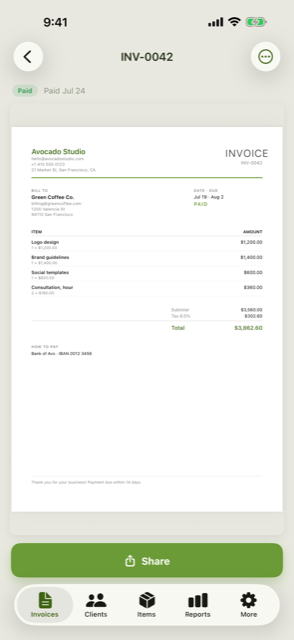 A finished invoice
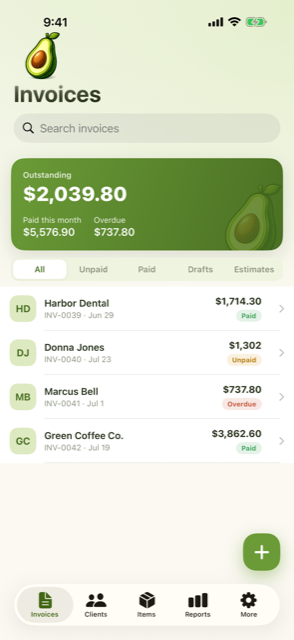 See who owes you
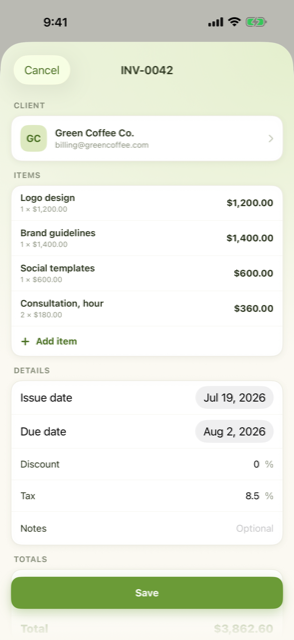 Built in under a minute
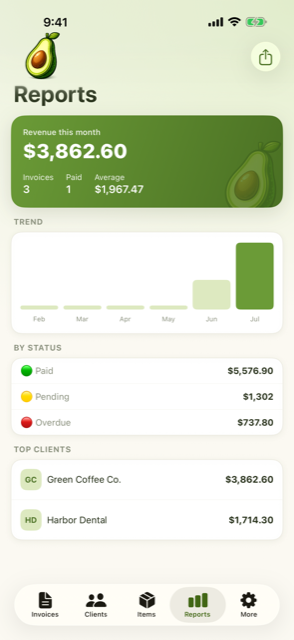 Your money, in one view
Your first three documents are free. No account and no card to start.
Your money, in one view
Your first three documents are free. No account and no card to start.
Fill it on your iPhone in a minute instead
Avo keeps your clients and your usual line items, so the next invoice is three taps. Your first three documents are free, full-quality PDF, no watermark. Premium from $59.99/year if you invoice often.

Scan the code with your iPhone camera to open Avo in the App Store, or email yourself the link.
Pricing
The browser generators and the templates stay free. The app is free to start; Premium is for people who invoice every week.
In the browser
- Invoices, estimates and receipts
- PDF download, no watermark
- No account, nothing uploaded
- 150+ fillable templates
App: Starter
- 3 documents to get going
- Full-quality PDF, no watermark
- Clients, saved items, estimates
- No account, no card
App: Premium
- Unlimited invoices and estimates
- Income reports and CSV export
- Monthly billing also available
- Cancel anytime
Free templates and guides
No app needed. Fillable PDFs for 50 trades, Word and Excel versions, twelve designs and plain-language guides.
Questions about creating an invoice
How do I create an invoice?
Put your business name and contact at the top, the client under Bill to, give the invoice a number and a date, list each job line with its quantity and rate, add tax if it applies and state when and how to pay. The form on this page lays all of that out and adds up the totals; the guide on how to make an invoice covers Word, Excel and templates too.
What has to be on an invoice?
The word Invoice, a unique invoice number, your business name and contact details, the client's name, the invoice date and the due date, each line with a description, quantity, rate and amount, the subtotal, tax and total due, and the ways the client can pay. Payment terms such as Net 15 belong under the total.
Is this free, and do I need an account?
It is free with no account and no limit on the number of invoices. The form runs in your browser; nothing is sent to a server. It is published by the makers of the Avo invoice app for iPhone, which adds saved clients, numbering, your logo and a pay link.
How do I save the invoice as a PDF?
Click Download PDF. Your browser's print dialog opens with only the invoice on the page; choose Save as PDF as the destination. On an iPhone, open the share icon in the print preview and choose Save to Files, then attach the file to a message or an email.
How should I number invoices?
Use one sequence and never reuse a number. A year prefix such as 2026-001 keeps the list sorted and tells the client when the invoice was issued. Keep the sequence going when you move from the browser to the app.
Can I add my logo?
The browser form has no logo field. The Word invoice template takes a logo, and the Avo app puts your logo, address and pay link on every document automatically.
Is an invoice the same as a receipt?
An invoice asks for payment and shows what is owed; a receipt confirms that a payment was received. Once the client pays, click Make a receipt for it: the receipt generator opens with the same lines and the amount received.
Can I create an estimate or a quote the same way?
Yes. The estimate generator uses the same form with a scope of work, a valid-until date and a deposit due on acceptance. When the client says yes, one click turns it into the invoice with the same lines.
Support
A real person reads these. Tell us what happened and which iPhone you are on, and we will get back to you.
Email support@avoinvoice.com
Lost your Premium after reinstalling? Open More → Restore purchases. Subscriptions follow your Apple Account, so nothing is lost.